
SSD or HDD failure
A failed drive may prevent Windows from starting and make business documents inaccessible.
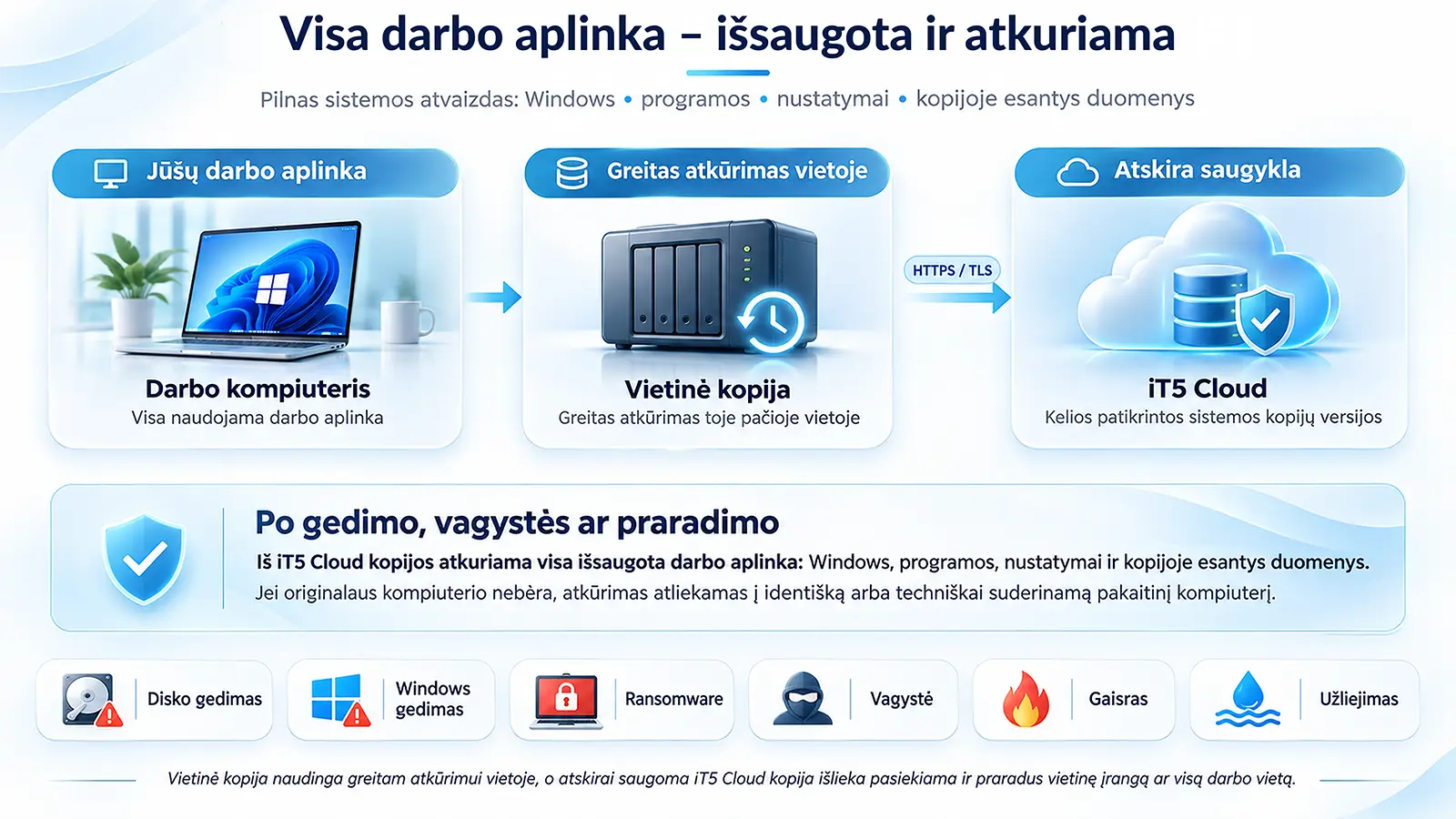


A computer can be replaced. But rebuilding Windows, reinstalling applications, restoring their settings and recovering years of accumulated business data can take considerable time. Without a backup, some information may be lost permanently.
For every scheduled backup, we create a new, independent full system image and use specialist software to verify its data integrity. Choose a one-off backup or a 12-month scheduled backup plan.
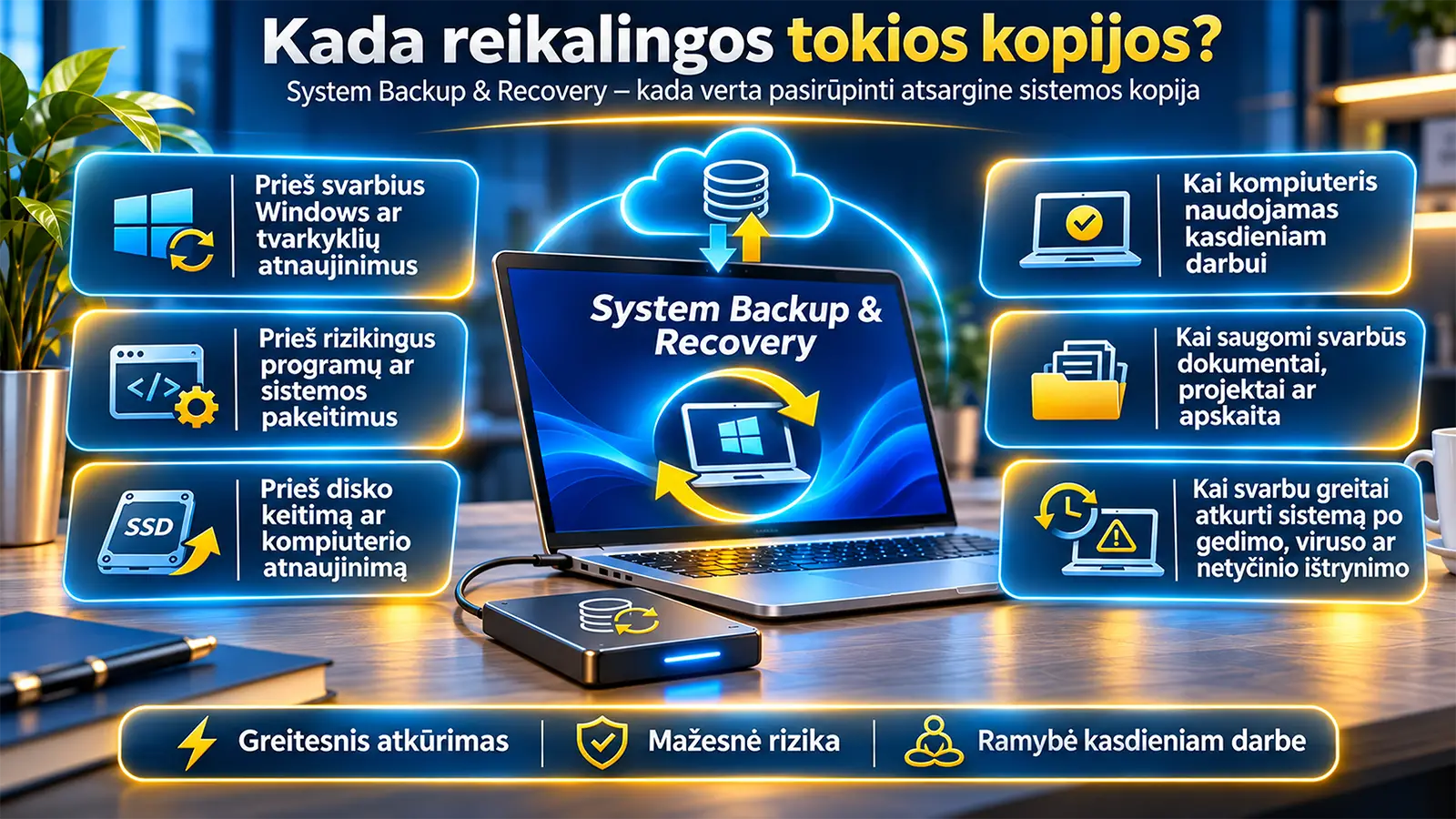
Business can be disrupted by far more than a failed drive or a Windows fault. Cyberattacks, accidental deletion, theft, fire, flooding and power failures can all put your work at risk. A backup made in advance gives you the option of restoring the system and data as they existed when it was created.
Recovery covers the data included in the selected backup. If a computer is stolen or an entire workplace is destroyed, the backup must be stored somewhere unaffected by that event. Restoring to different hardware may require additional system configuration.
In every case, recovery depends on having a suitable backup created before the incident.
A failed drive may prevent Windows from starting and make business documents inaccessible.
The computer no longer starts, or Windows stops working correctly.
Malware encrypts documents or damages their contents.
A stolen computer may take essential business information with it.
A fire can destroy the computer and locally stored backups at the same time.
Water damage can affect several devices and storage drives at once.
An unsuccessful Windows or application update can leave the computer unusable or unstable.
Important documents are accidentally deleted, files overwritten or application settings changed.
A full system backup preserves much more than documents, photos or selected folders.
Preserves Windows, installed applications, user profiles, settings and data from the drives included in the agreed backup, as they were on a particular date. It can be used to restore the saved working environment.
Preserves only selected documents or folders. Useful for recovering individual files, but not for restoring Windows and installed applications as a complete working system.
Depending on its configuration, RAID may allow a system to continue operating after one or more drives fail. But RAID is not a backup: it does not by itself protect against accidental deletion, damaged files or encryption by malware.
At each scheduled backup, we create a new, independent full system image. We then verify its data integrity using specialist software. Restoring one image does not require any earlier backups.
We back up the agreed drives, partitions required to start the system, installed applications, settings and the files included in the agreed scope.
Specialist software checks the data integrity of every system image. We retain the backup once it has been successfully verified.
A system image preserves the agreed state of your working environment. If the backup remains usable, the system can be restored to a compatible drive or computer.
The backup includes the agreed drives and the partitions needed to start the system, including Windows boot information. Restoring to another computer may require additional configuration to suit the new hardware.
For scheduled plans, we can arrange a local backup for faster on-site recovery alongside a separately stored backup in iT5 Cloud. If the customer needs additional equipment on-site, its installation and cost are agreed separately. For a one-off backup carried out at iT5 premises, there is no need to purchase an additional customer-owned drive.
The right frequency depends on how quickly your data changes and how much recent work your business could afford to lose. There is no single schedule that suits every business.
If you create documents, manage email and use business applications daily, backups need to be frequent enough for your needs. Consider how much recent data you could lose with a weekly or monthly plan.
If a computer is used infrequently and its contents rarely change, quarterly, six-monthly or annual backups may be sufficient. It is also sensible to create an extra backup before major system changes.
For design and other specialist workstations, protecting installed applications, custom settings, user profiles and project data is important. We agree the backup schedule around project milestones and software updates.
These may need daily or more frequent backups, application-aware database protection and test restores. We prepare a separate technical specification and quotation for such systems.
All prices are quoted per computer and include VAT. The first system backup costs €189 including VAT — whether ordered as a one-off service or as the first backup of a scheduled plan. Lower per-backup rates apply only to subsequent backups under a 12-month agreement.
Earlier backups retained for 3 months
12-month plan · 52 scheduled backups
Earlier backups retained for 6 months
12-month plan · 12 backups
Earlier backups retained for 12 months
12-month plan · 4 backups
Earlier backups retained for 12 months
12-month plan · 2 backups
Backup retained for 12 months
One backup is created each year and retained for 12 months from its creation date.
No ongoing contract
We agree how the backup will be delivered and how long it will be retained before accepting the order.
This table shows the projected total for all backups over 12 months, not a monthly subscription fee. The first backup is already included in the number of backups shown.
| Plan | Backups per year | First backup | Subsequent backups | 12-month total incl. VAT |
|---|---|---|---|---|
| Weekly | 52 | €189.00 | 51 × €36.30 | €2,040.30 |
| Monthly | 12 | €189.00 | 11 × €60.50 | €854.50 |
| Quarterly | 4 | €189.00 | 3 × €107.69 | €512.07 |
| Every six months | 2 | €189.00 | 1 × €145.20 | €334.20 |
| Annual | 1 | €189.00 | – | €189.00 |
When ordering a scheduled plan, the basket displays €189 for the first system backup. Subsequent backups are charged at the agreed rate according to the schedule in the contract. Invoice frequency is agreed in advance.
Additional equipment, installing storage on the customer's premises, engineer visits, specialist backup of live databases, non-standard recovery work and storage beyond the agreed allowance are quoted separately before the additional work begins.
The stated number of backups is planned. The exact 12-month schedule is confirmed in the agreement; changes and additional work are agreed separately. Contract termination and settlement terms comply with applicable law.
It is important to distinguish retention of earlier backups while a plan is active from optional retention of the final backup after the plan ends. These are separate arrangements.
Earlier backups made under the weekly plan are retained for 3 months.
Earlier backups made under the monthly plan are retained for 6 months.
Earlier backups under quarterly and six-monthly plans are retained for 12 months. The annual backup is kept for 12 months from its creation date.
At the end of a 12-month weekly, monthly, quarterly or six-monthly plan, upon the customer's written request, we retain one final, successfully created and verified independent system image for a further 12 months from the end of the plan. This archive is included in the plan price (no additional charge) if the image is no larger than 150GB. For larger images, we agree the archive price individually before confirming the request. No new backups are created during the archive period.
The agreement defines notice and response periods, responsible contacts, and the process for returning or deleting data. If the customer does not request it, the additional 12-month archive is not activated automatically. Any separate 30-day collection period must be expressly included in the agreed contract-closure process.
A system image may contain personal data relating to employees, customers and other individuals. We therefore determine retention periods according to the purpose of the service, the agreed terms and applicable data protection requirements.
Backups are retained for their agreed purpose and no longer than necessary. The 12-month archive is a contractual retention period offered by iT5, not a universal period prescribed for all businesses by the GDPR.
Before work begins, we agree how data will be processed. At the end of the service, data is returned or deleted in accordance with the agreed procedure and the instructions of the customer acting as data controller.
Restoring data from an existing, usable backup is a separate service. The prices below do not cover recovery from a failed storage drive or migrating and adapting a system to another computer.
€30 + VAT. Standard restoration from an existing backup at iT5 premises. A replacement drive, migration to different hardware and non-standard work are not included.
€15 + VAT. Recover selected documents or folders from an existing backup without restoring the entire Windows system.
€50 + VAT for a visit within Vilnius. This is an additional charge on top of the selected backup or recovery service.
The price shown in the order menu is the amount payable for the first selected service. For a scheduled plan, the basket shows the first full system backup, not the total cost of all 12 months. The full annual value is shown above and confirmed in the agreement.
Select the work required or your preferred backup frequency.
No additional visit charge applies if the service can be carried out at iT5 premises.
We prepare the system, create the image and verify its data integrity. An actual test restore of the complete system is a separate procedure agreed in advance.
Check the operating system, the condition of the drives to be backed up and the required storage capacity. Assess drive encryption and any application or database requirements.
Confirm which drives, boot partitions, application data and user folders are to be included.
Set up the agreed backup and storage arrangements, verify access and confirm the procedure. Every scheduled backup creates a new, independent full image.
Create an image of the agreed drives and partitions. For databases in active use, we select a backup method appropriate to the application.
Use specialist software to verify the data integrity of every new image and record the result. This check is not the same as a test restore and a successful system boot.
Store backups for the agreed period. When required, recover selected files or the complete Windows working environment saved in the image.
Backups are valuable not only after a drive failure, but also after a computer is lost or attacked by malware – provided the stored backups remain intact.
iT5 Cloud provides an additional backup storage location separate from the customer's computer and local network. The storage arrangement is agreed for each plan.
We apply the agreed data protection and access restriction measures, including requirements for secure storage and transfer. Specific security arrangements are documented in the service terms.
If the archive contains backups from several dates, you can choose an earlier system state – for example, one saved before a failure or an accidental change.
We began making full system backups for our own computers about a decade ago. These two anonymised customer cases show why preserving an entire working system can be more valuable than keeping copies of individual documents alone.
The system drive failed in a trading company's computer running its accounting software. After fitting a replacement drive, we restored Windows from a separately stored system image and checked the operation of key applications. The customer was able to resume work without reinstalling the entire system.
At another company, ransomware affected employees' computers, a file server and some backups stored on the local network. Copies retained outside that network in iT5 Cloud helped restore essential data and business systems.
It is important to understand what each data protection method can – and cannot – restore.
Helps recover documents included in that backup. A file-only copy is not enough to restore Windows and all its installed applications.
Depending on the RAID configuration, a system may keep running after one or more disks fail. However, RAID does not preserve earlier versions of files by itself.
Allows you to recover the agreed state of your working environment from an earlier date. Separately stored images also remain valuable if the original computer is lost.
Choose a question to learn about backup creation, verification, prices, retention, the end of a contract and recovery services.
We will discuss which drives need protecting, the estimated size of the image, how long it should be retained and how often backups are required. Scheduled plans begin with a full system backup costing €189 including VAT; later backups are charged at the agreed rate.